

Pixlivo – AI Image Compressor Media Toolkit | SwiftUI iOS App

Version Download:
Demo: Live Preview
License: Unlimited websites
Please read before purchase: FAQ
Original price was: $53.00.$16.00Current price is: $16.00.
Every iPhone user faces the same daily frustration. Photos take up too much storage. Sharing large images over WhatsApp or email is slow. Posting photos to social media accidentally leaks your GPS location. Converting image formats requires downloading yet another app. Generating a PDF from photos feels unnecessarily complicated.
People are forced to juggle five different apps — or worse, upload their private photos to unknown cloud servers just to compress them.
Pixlivo solves all of this in one app — completely on-device, zero cloud uploads, full privacy guaranteed.
What Is Pixlivo?
Pixlivo is a production-ready iOS app source code built entirely in SwiftUI and Swift 5.9. It gives your users a complete image and media processing toolkit with real AI-powered smart tools — all running locally on the device using native Apple frameworks. No third-party SDKs required for core features.
You get a fully monetized app with StoreKit 2 in-app purchases, AdMob ad integration, push notifications, and a polished modern UI — ready to submit to the App Store on day one.
15+ screens · 6 processing tools · 4 AI smart tools · 8 ViewModels · 6 Services · Full Design System
Core Features
1. Image Compression
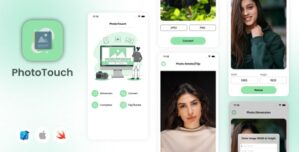
Compress photos using a quality slider or set an exact target file size in KB. A smart binary-search algorithm finds the optimal compression to hit your exact target. Before/after file size stats are shown in real time so users always know exactly how much space they saved.
2. Image Resize
Resize any image to fully custom dimensions with aspect-ratio lock. Includes 7 ready-made social media presets — Instagram Post, Instagram Story, Twitter/X Post, Facebook Cover, LinkedIn Banner, YouTube Thumbnail, and WhatsApp DP — so users can prepare images for any platform in seconds.
3. Format Converter
Convert images between JPEG, PNG, and HEIC formats using Apple’s native CGImageDestination API. Fast, precise conversion with full quality control. No quality loss on lossless formats.
User Reviews
Be the first to review “Pixlivo – AI Image Compressor Media Toolkit | SwiftUI iOS App”
Related Products

QuickDate IOS- Mobile Social Dating Platform Application 2.0



There are no reviews yet.