
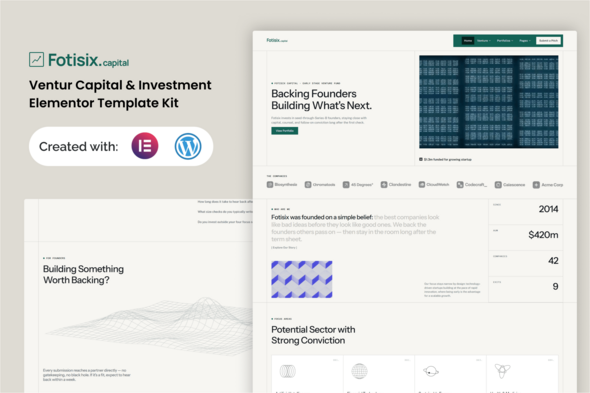
Fotisix – Venture Capital Investment Elementor Template Kit

Version Download:
Demo: Live Preview
License: Unlimited websites
Please read before purchase: FAQ
Original price was: $30.00.$10.00Current price is: $10.00.
Fotisix is a clean, modern Elementor Template Kit built for venture capital firms, angel networks, and early-stage investment funds with a filterable portfolio directory, a structured pitch-intake form, and fund performance stats built in. It’s designed around how these sites actually get used – all without writing a single line of code.
Important Note
This is a Template Kit, not a WordPress theme. It includes pre-designed layouts optimized for the free version of Elementor and works perfectly with the Hello Elementor theme or any Elementor-compatible theme.
Features:
- Using Free Elementor (Elementor Pro is not required)
- Clean & proper Design
- Structured Section
- Build With Container
- 17 Ready to Use Pages
- Unlimited colors
- Global Kit Style
- Fully Responsive Layout
- Fully Customizable
- Cross Browser Compatibility: Chrome, Firefox, Safari, Opera
Templates Included
- Global Theme Style
- Home
- About
- Contact
- Portfolio
- Portfolio Details
- Submit a Pitch
- Error 404
- Insights
- Single Post
- Sector of Funds
- Team
- FAQs
- Header
- Footer
- Metform Contact
- Metform Newsletter
- Metform Pitch Submission
Required Plugin:
- Elementor
- ElementsKit Lite
- MetForm
- Gum Elementor Addon
- Ultimate Addons for Elementor – Lite
How To Install:
- Install and activate the “Envato Elements” plugin from Plugins > Add New in WordPress.
- Download your kit file and do not unzip.
- Go to Elements > Installed Kits and click the Upload Template Kit button. You may also import automatically by clicking Connect Account to link your Elements subscription, then import under Elements > Template Kits.
- Check for the orange banner at the top and click Install Requirements to load any plugins the kit uses.
- Click Import on the Global Kit Styles first.
- Click Import on one template at a time. These are stored in Elementor under Templates > Saved Templates.
- Go to Pages, create a new page, and click Edit with Elementor.
- Click the gear icon at the lower-left of the builder to view Page Settings. Choose Elementor Full Width and hide the page title.
- Click the gray folder icon to access the My Templates tab and then insert the page you’d like to customize.
User Reviews
Be the first to review “Fotisix – Venture Capital Investment Elementor Template Kit”
Related Products

FarmFactory – assets staking & yield farming on Ethereum, Binance Smart Chain and Polygon

Moda – Multipurpose WooCommerce WordPress Theme

Dogart – Personal Portfolio WordPress Theme



There are no reviews yet.