
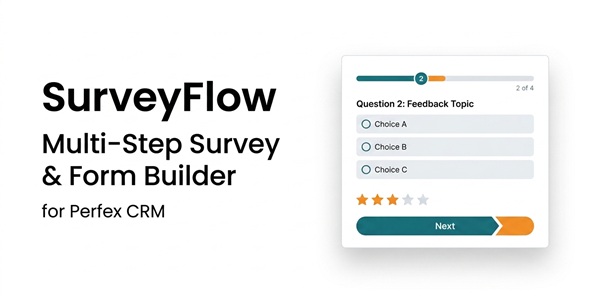
SurveyFlow – Multi-Step Survey Form Builder for Perfex CRM

Version Download:
Demo: Live Preview
License: Unlimited websites
Please read before purchase: FAQ
Original price was: $39.00.$12.00Current price is: $12.00.
SurveyFlow helps you create professional multi-step surveys and feedback forms directly inside Perfex CRM. Build forms with a visual drag-and-drop interface, divide questions into multiple pages, and provide participants with a clean, modern and mobile-friendly form experience.
Send personalized survey invitations to staff, leads, clients, project participants or a manually entered list. Every recipient receives a unique and secure survey link and can complete the form without logging in.
SurveyFlow uses your existing Perfex CRM email configuration and SMS gateway. No additional SMTP account or separate SMS API configuration is required.
Modern Drag-and-Drop Form Builder
- Simple three-column visual form builder
- Drag fields from the field palette into survey pages
- Reorder questions with drag and drop
- Move questions between different pages
- Reorder complete survey pages
- Edit the selected field from a dedicated settings panel
- Add an optional description or help text to every question
- Mark individual questions as required
Supported Question Types
- Short text
- Long text
- Multiple choice – single selection
- Multiple choice – multiple selections
- Star and score rating
Rating settings are displayed only for rating questions, while choice settings are displayed only for single-choice and multiple-choice questions. This keeps the builder clear and easy to use.
Professional Multi-Step Survey Experience
- Divide surveys into unlimited pages or steps
- Previous and Next navigation
- Animated progress indicator
- Modern question cards and custom form controls
- Responsive layout for desktop, tablet and mobile devices
- Company logo and company name integration
- Dedicated success and already-completed screens
- Preview surveys before publishing or sending
- Right-to-left layout support
Flexible Audience Selection
Send surveys to the right people using existing Perfex CRM records:
- Staff: selected staff members or all active staff
- Leads: selected leads, all active leads, or leads filtered by status or tag
- Clients: selected client contacts, all active contacts, or contacts filtered by customer group
- Project participants: active customer contacts and staff members assigned to the selected project
- Manual list: manually entered name, email address and phone number
Project Surveys
- Optionally associate a survey with a Perfex CRM project
- Create surveys directly from the project detail page
- View project surveys from the dedicated project tab
- Send invitations to project customer contacts and assigned project staff
- Display the project name on the public survey form
- Use {project_name} inside invitation templates
Email and SMS Invitations
- Choose Email or SMS for every sending operation
- Uses the existing Perfex CRM email infrastructure
- Uses the active Perfex CRM SMS gateway
- No separate SMTP or SMS API settings
- Personalized invitation templates
- Manual reminder button for recipients who have not completed the survey
Secure Individual Survey Links
SurveyFlow generates a unique, unpredictable 256-bit token for every recipient. Participants do not need a Perfex CRM account and do not need to log in. Each individual link is connected to its recipient, allowing you to see exactly who completed the survey and who did not.
Tracking and Results
- See every survey recipient in one place
- Track sent, failed and completed invitations
- View sending and completion dates
- Send reminders to incomplete recipients
- See total recipients and completed responses
- View the overall completion rate
- Review answer distribution for choice and rating questions
- Review individual text responses
User Reviews
Be the first to review “SurveyFlow – Multi-Step Survey Form Builder for Perfex CRM”
Related Products

Kingsmen – Investment Platform

Bot Investment Addon For Bicrypto – Crypto Trader, Investment Subscription 1.4.3

Invest Genius – Cryptocurrency HYIP Investment Platform



There are no reviews yet.